
Question
How to power a hardwired motorized shade?
Answer
For hardwired motorized blackout shades, there are two power supply options:
1. If there is a 12V DC power source near the window
Our shade motor comes with an AWM 2468 18AWG x 2C power cable, terminated with a JST-2P male connector.
If your 12V DC power supply has a matching JST-2P female connector, you can plug it directly into the motor.
If your 12V DC power supply doesn’t have a matching JST-2P female connector, you can simply add the compatible cable when placing your order:
Select “Hardwired DC 12V”, then choose “Female Connector with Pigtail.”
If You’re Doing Your Own Wiring: Motor Power Specs & Sizing the Power Supply
Rated motor power: 7.5 W
Recommended power capacity: 15 W (or higher)
Because the motor runs on 12 V DC, a 7.5 W load translates to about 0.63 A (7.5 W ÷ 12 V ≈ 0.63 A). We recommend choosing a power supply with at least 15 W of capacity (≈ 1.25 A at 12 V) to provide a comfortable safety margin for startup current and long-term reliability.
Connecting the 12V DC Power Cable to the Distribution Board
Please follow the steps below to complete the connection:
-
Connect to the Distribution Board
Insert the power wires into the distribution board. Make sure the polarity is correct:The white wire is the positive (+) terminal.
The black wire with dashed lines is the negative (–) terminal.
If the polarity is connected incorrectly, the blackout motor will not be damaged—simply reverse the connection to correct it.
Connect to the Shade Motor
Plug the male connector of the shade motor’s 12V DC power cable into the female connector of the cable connected to the distribution board.Power Off:
To disconnect power, simply unplug the cable. Operation and maintenance are both very easy.
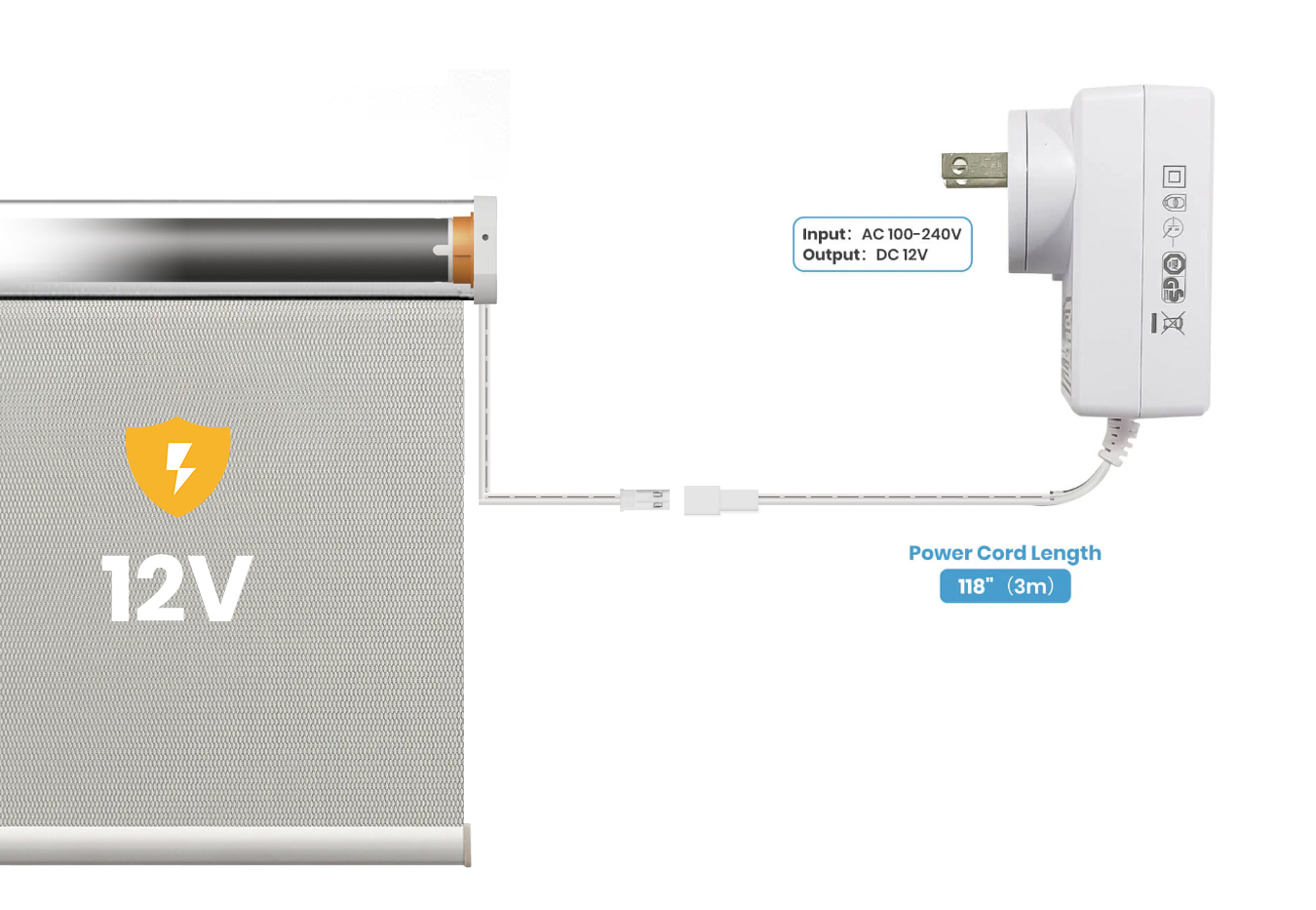
2. If you have a 100V–240V power outlet near your window,
you can choose the “Plug-in Transformer” option in the customization settings.
This transformer converts the power to 12V DC and connects directly to the motor.
2-Pin In-Line Power Connector Housing – Female & Male
Explore More:
What are the power options for SmartWave shades?
Comments
0 comments
Please sign in to leave a comment.